Getting started
Fast Verification
Verify imported or discovered vulnerability candidates in ZAST.AI SaaS.
Fast Verification
Fast Verification is designed for teams that already have vulnerability candidates from source code analysis, SARIF files, or code scan discovery and want ZAST.AI to verify exploitability quickly.
Open Verifications from the SaaS app top navigation.
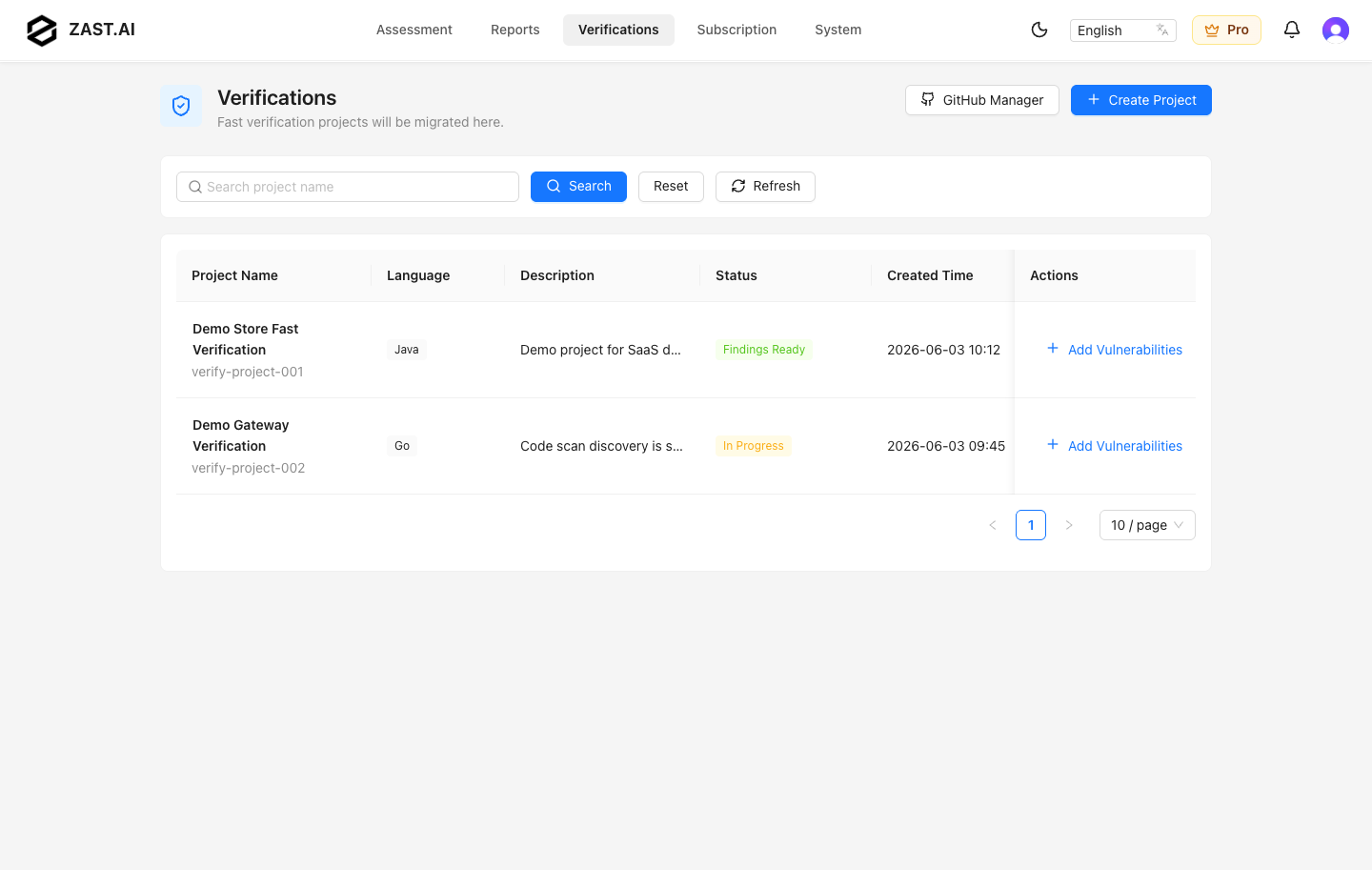
Create A Verification Project
Select Create Project, enter a project name, choose the language, and upload a source package or connect a Git repository. Auto Detect remains the default. Supported verification languages are Java, Python, JavaScript/TypeScript, Go, and PHP. The source package gives ZAST.AI context for code locations, API paths, CWE mapping, and remediation guidance.
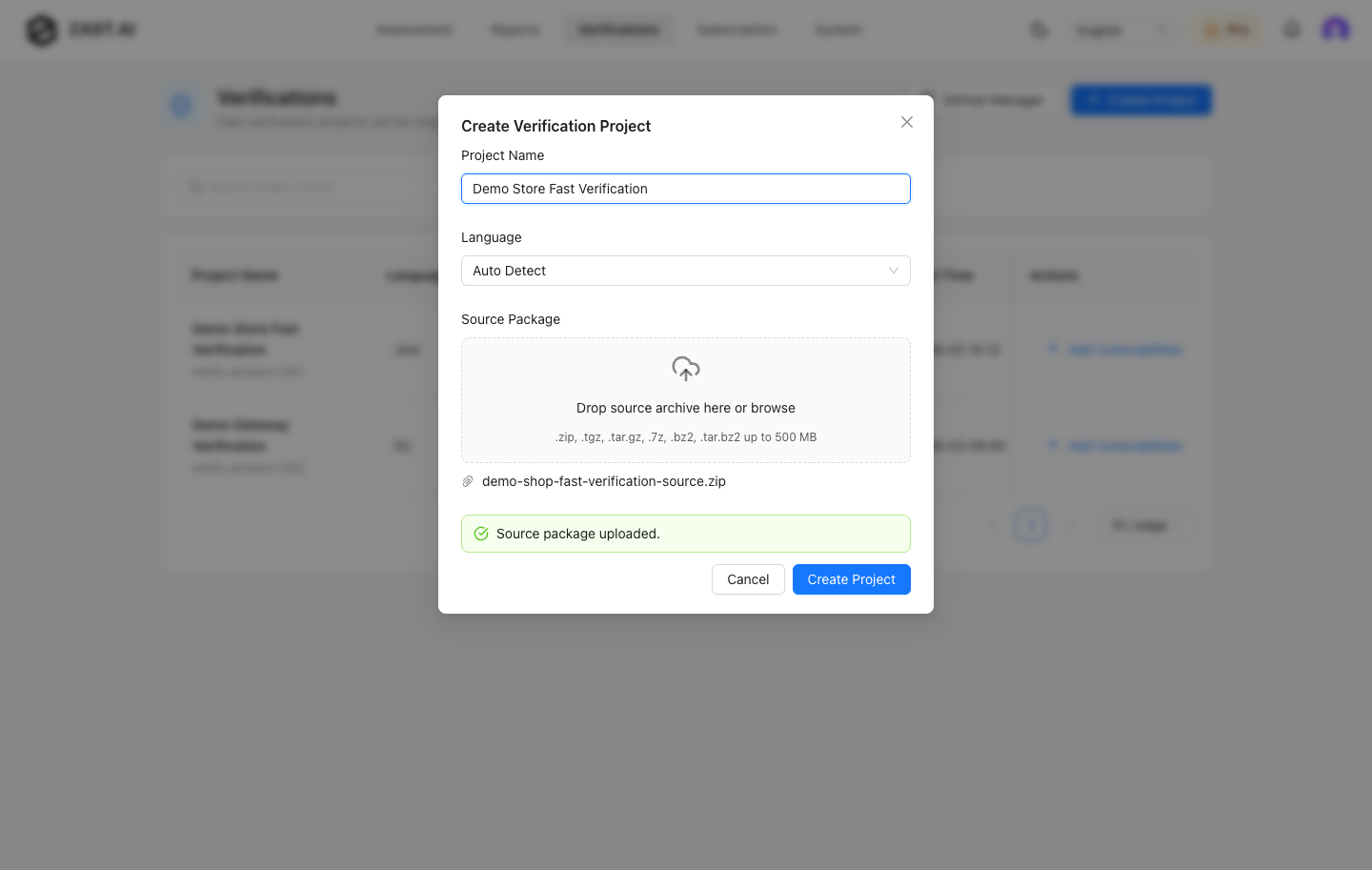
Use a clean archive that excludes secrets, tokens, production configuration, dependency caches, and customer data.
Add Vulnerability Candidates
Open Add Vulnerabilities for a project and choose one of the import methods.
SARIF Upload
Use SARIF upload when another static analysis tool has already produced candidate findings. Supported file extensions are .sarif and .json, with up to 10 files per upload action.
Common SARIF sources include:
- CodeQL
- Semgrep
- SonarQube
- Snyk Code
- GitHub Advanced Security
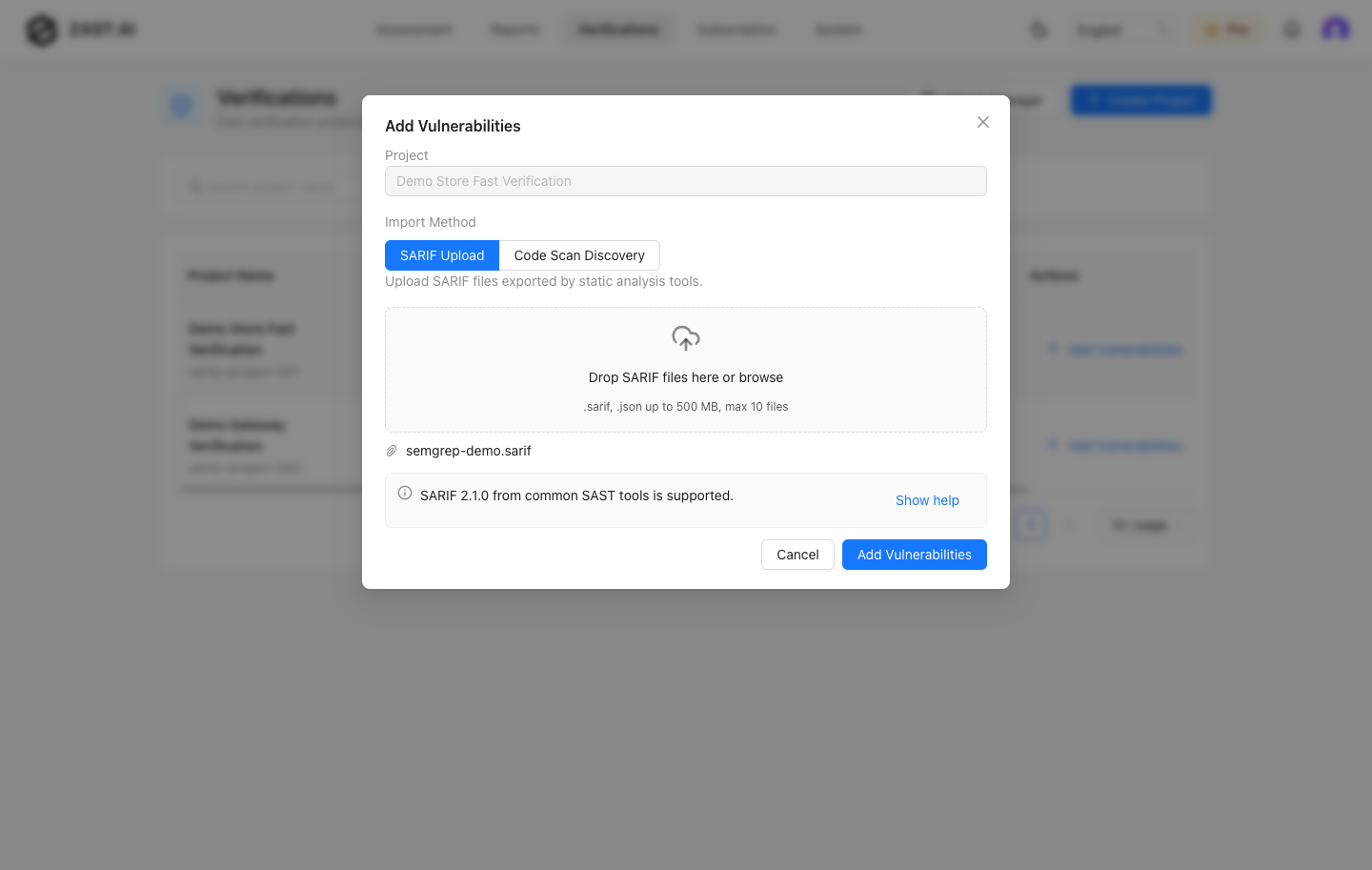
Uploaded SARIF files should use SARIF 2.1.0 JSON output. Review parsed findings before submitting verification.
Code Scan Discovery
Use Code Scan Discovery when you want ZAST.AI to inspect the uploaded source package and discover candidate vulnerabilities before verification.
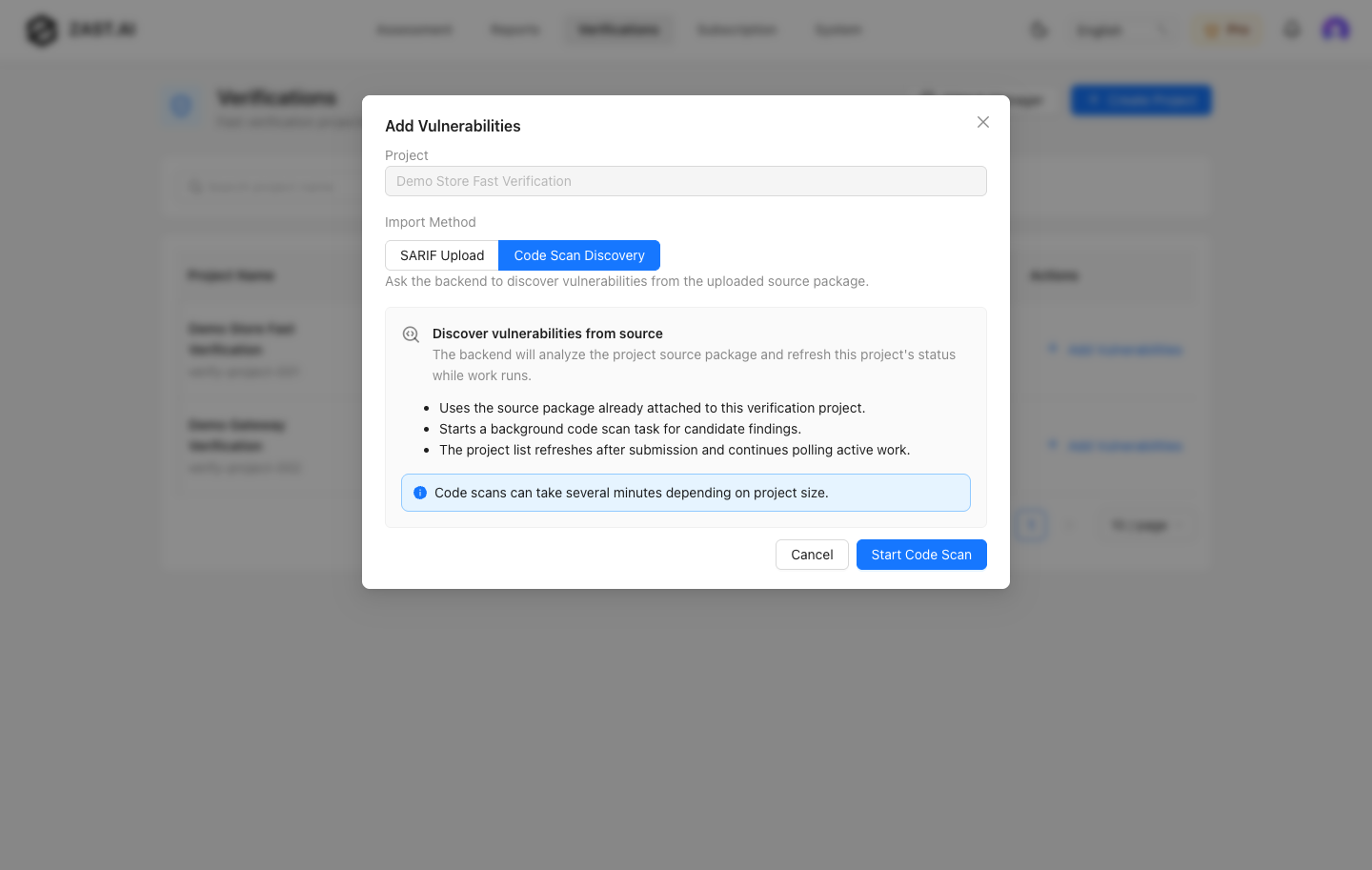
The project status changes while discovery is running. Return to the project after findings are ready.
Project Status
Fast Verification project list statuses help you understand what to do next:
- In progress: parsing, code scan discovery, or verification is still running.
- Findings ready: candidates are available for review and verification.
- No findings: no candidates were imported or discovered.
- Parse failed: the uploaded source package or SARIF content could not be parsed.
Review Project Details
Open a project to review candidate vulnerabilities. The detail page includes category, severity, CWE, API, code location, verification status, verification result, filters, and search.
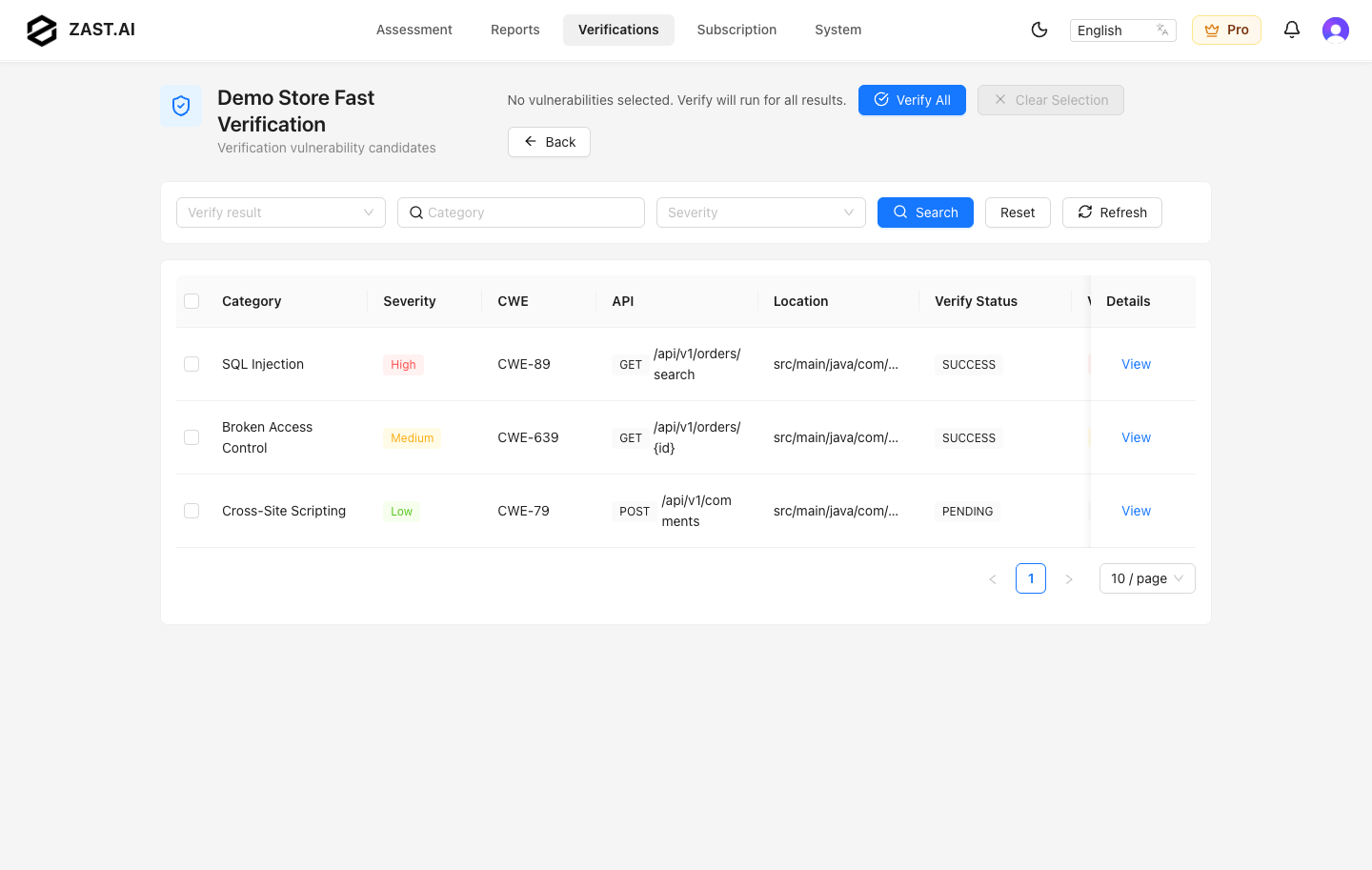
Use filters to focus on severity, category, or verification result. Select rows when you only want to submit a subset of candidates.
Submit Verification
Use Verify all to submit every candidate, or select rows and use Verify selected for a smaller batch.
In SaaS, Fast Verification supports Auto deploy when the uploaded source package can be deployed automatically. You can also provide a manual target URL and request headers for a prepared test environment.
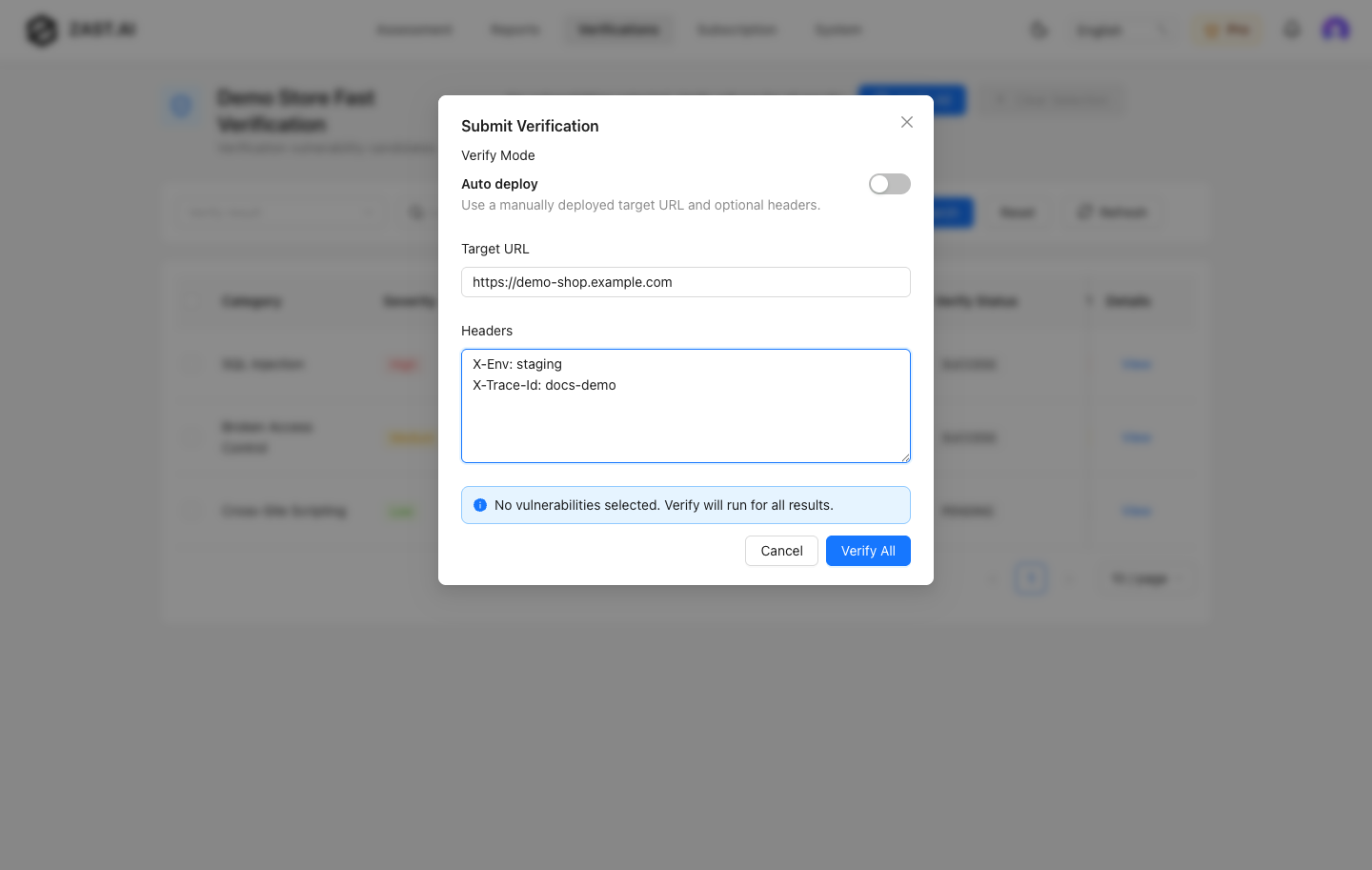
Use manual headers only for test credentials or scoped tokens created for verification. Do not paste production tokens or personal credentials.
Verification Results
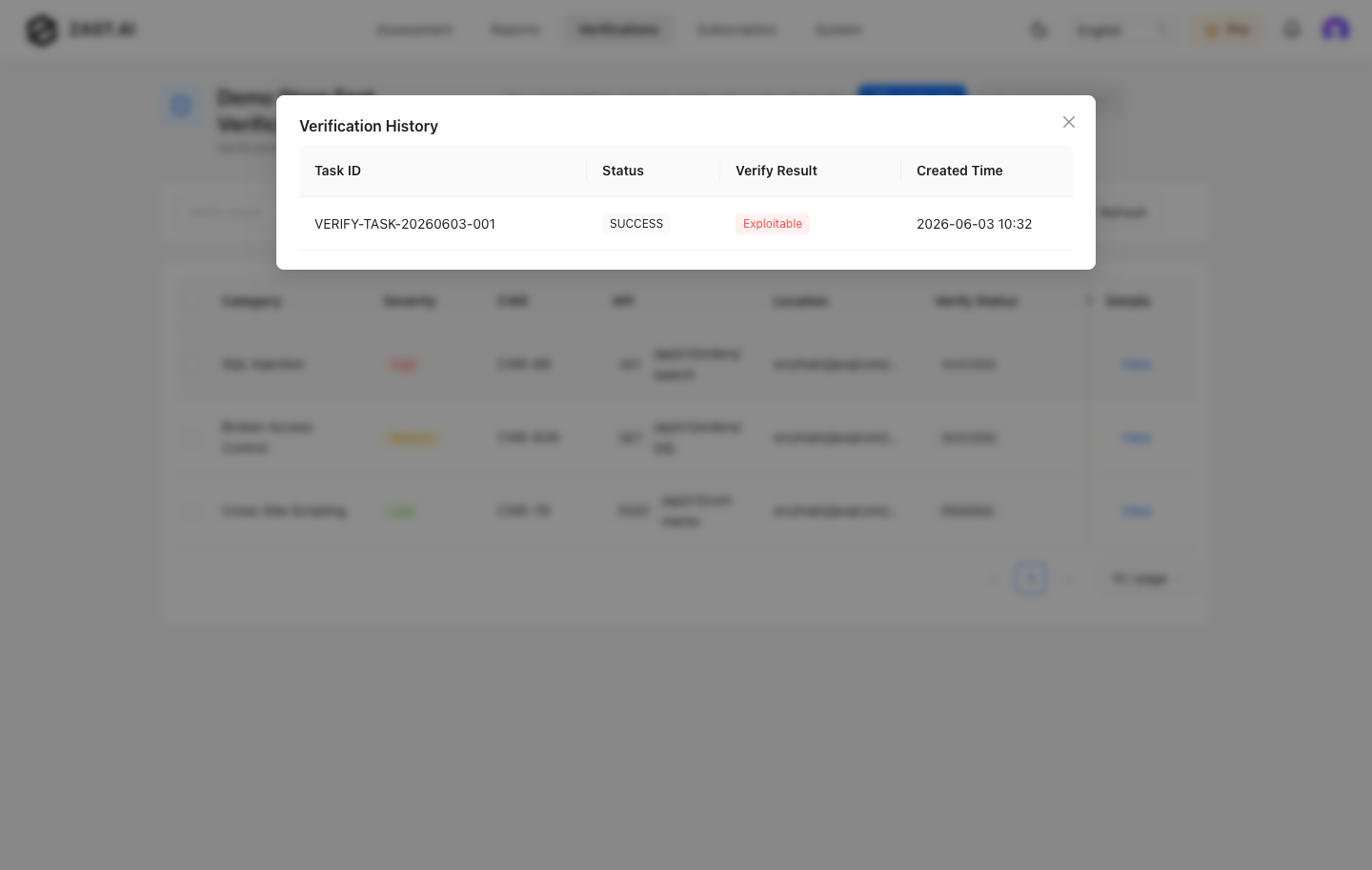
Fast Verification results are grouped into three practical outcomes:
- Exploitable: ZAST.AI verified the issue with runtime evidence.
- Semantically confirmed: the issue is strongly confirmed by code and semantic analysis but not fully exploited in the target environment.
- False positive: the candidate could not be confirmed as a real vulnerability.
Open a result to view verification history.
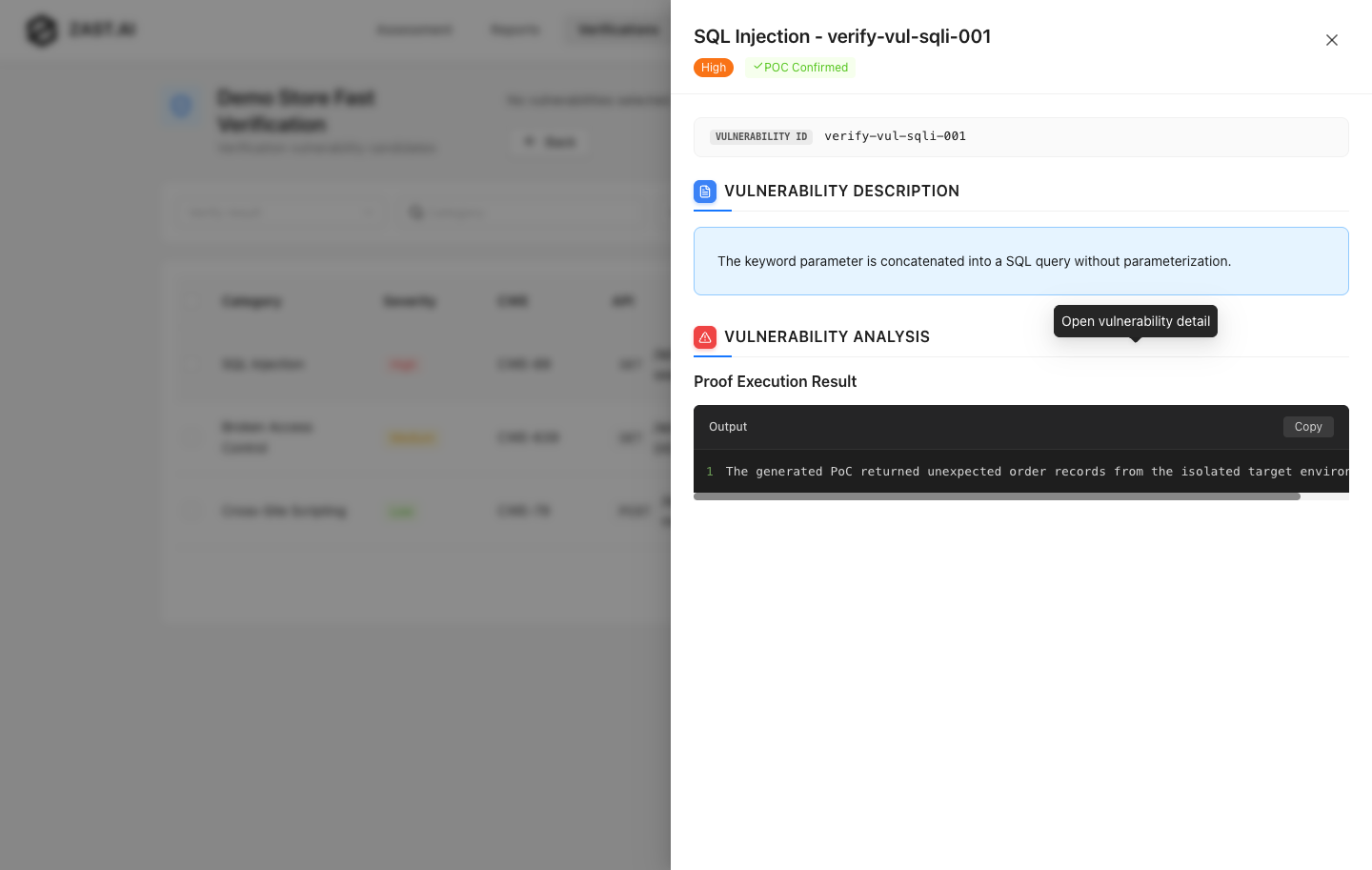
Open the vulnerability detail to review evidence, impact, and remediation guidance.
GitHub Integrations
SaaS can connect GitHub integrations from the Verifications area when the feature is enabled for your account. Use GitHub integrations to bring repository context into the verification workflow and to streamline follow-up work for imported findings.
If your account does not show the GitHub integration entry, contact your ZAST.AI account team to confirm availability.
Best Practices
- Start with a small batch of high-confidence SARIF findings before verifying a large import.
- Keep target environments stable and resettable.
- Use scoped test credentials and headers.
- Keep SARIF files and source archives free of secrets.
- Re-run verification after remediation to confirm the fix.