Getting started
SaaS User Manual
Create SaaS assessments, manage tasks, and review verified vulnerability reports in ZAST.AI.
SaaS User Manual
ZAST.AI SaaS helps security and engineering teams submit application artifacts, verify that ZAST can reach the target service, prove site ownership, add optional source code context, provide test accounts, and review verified findings with PoC evidence.
This page keeps the original quick-introduction slug so existing links continue to work.
Before You Start
Use the SaaS product when the target service can be reached by ZAST.AI cloud workers. Prepare the following before creating an assessment:
- An approved ZAST.AI SaaS account.
- A Chrome or Edge based browser.
- A deployable artifact such as a JAR, WAR, ZIP, or frontend build archive.
- A reachable target service URL and API path for a non-production or dedicated test environment.
- Permission to publish a temporary ownership verification file under the target domain.
- Test accounts for important roles such as administrator, normal user, or read-only user.
Temporarily relax WAF, EDR, IDS/IPS, bot protection, or allow-list rules for the test environment when they block assessment traffic. Do not use real customer accounts or production data in screenshots, test accounts, headers, or uploaded sample files.
Sign In And Account Approval
Create or sign in to your SaaS account from the ZAST.AI web application. New SaaS accounts may require approval before assessments can be submitted. If your account remains pending longer than expected, contact support through your normal ZAST.AI channel.
Create An Assessment
Open Assessments and select Create Assessment. SaaS assessments use six steps:
- Deployment Artifact
- Connectivity Check
- Ownership Verification
- Source Code
- Test Account
- Review & Submit
Deployment Artifact
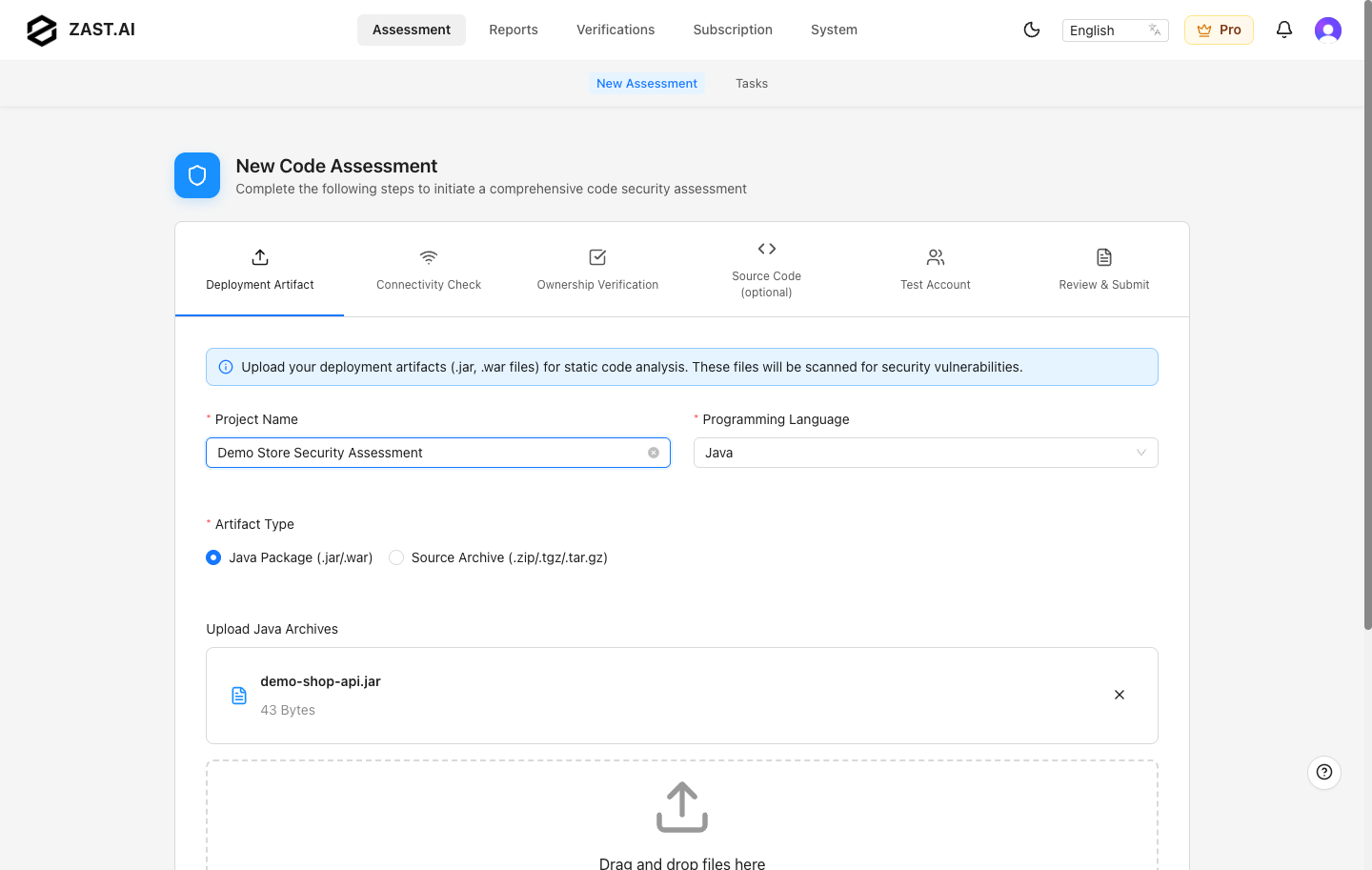
Enter a clear project name, choose the project language, and upload the deployable artifact that represents the service you want ZAST.AI to assess. Supported assessment languages are Auto Detect, Java, Python, JavaScript/TypeScript, Go, PHP, C#, Ruby, and Rust. New assessments default to Auto Detect. Java can use a JAR/WAR package or a source archive; Auto Detect, C#, Ruby, and Rust use a single .zip/.tgz/.tar.gz archive or a Git repository; the other supported languages use a source archive or a Git repository.
Connectivity Check
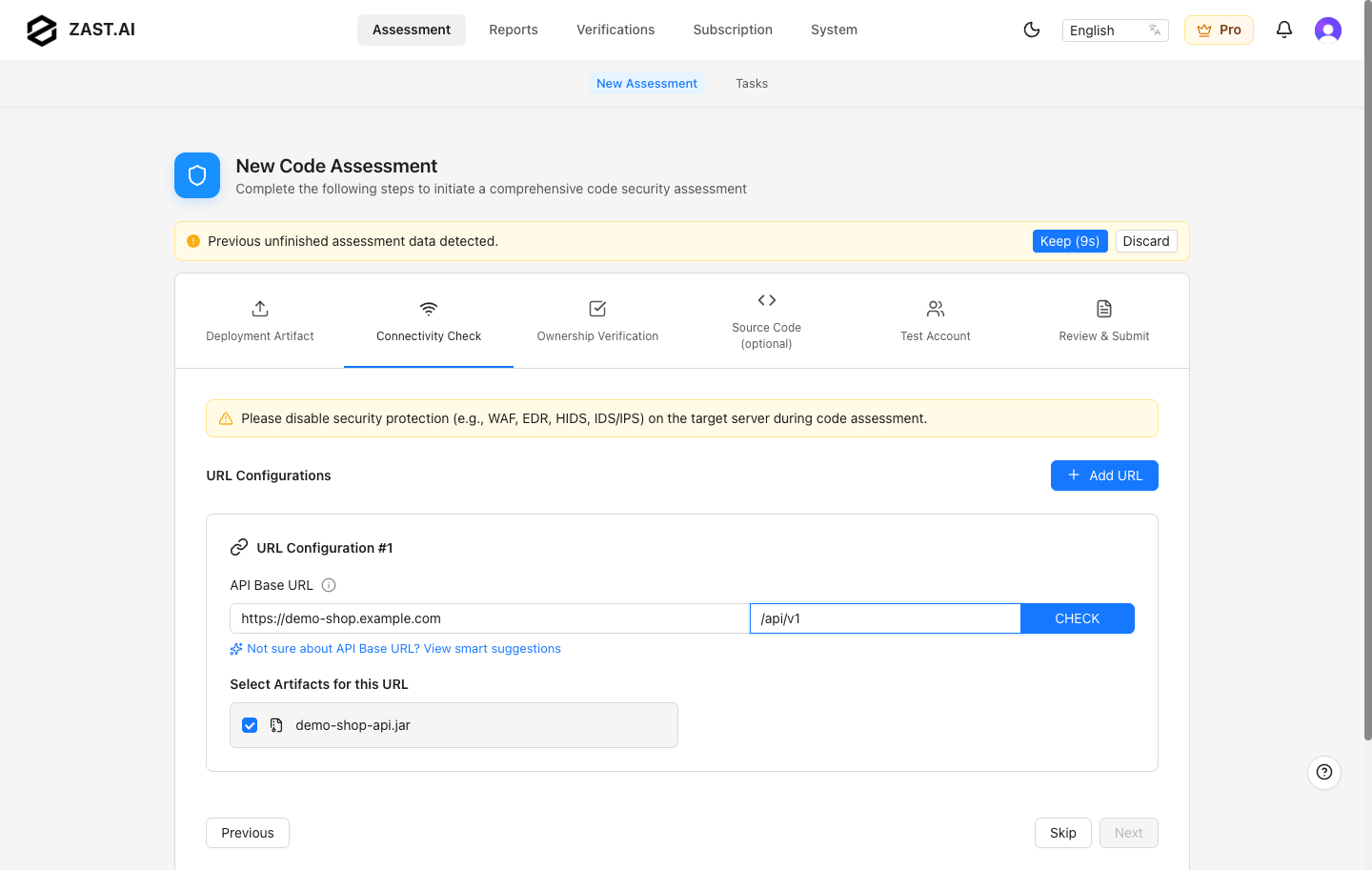
Enter the service base URL and API path that correspond to the uploaded artifact. ZAST.AI uses this address to crawl the service and verify exploitability.
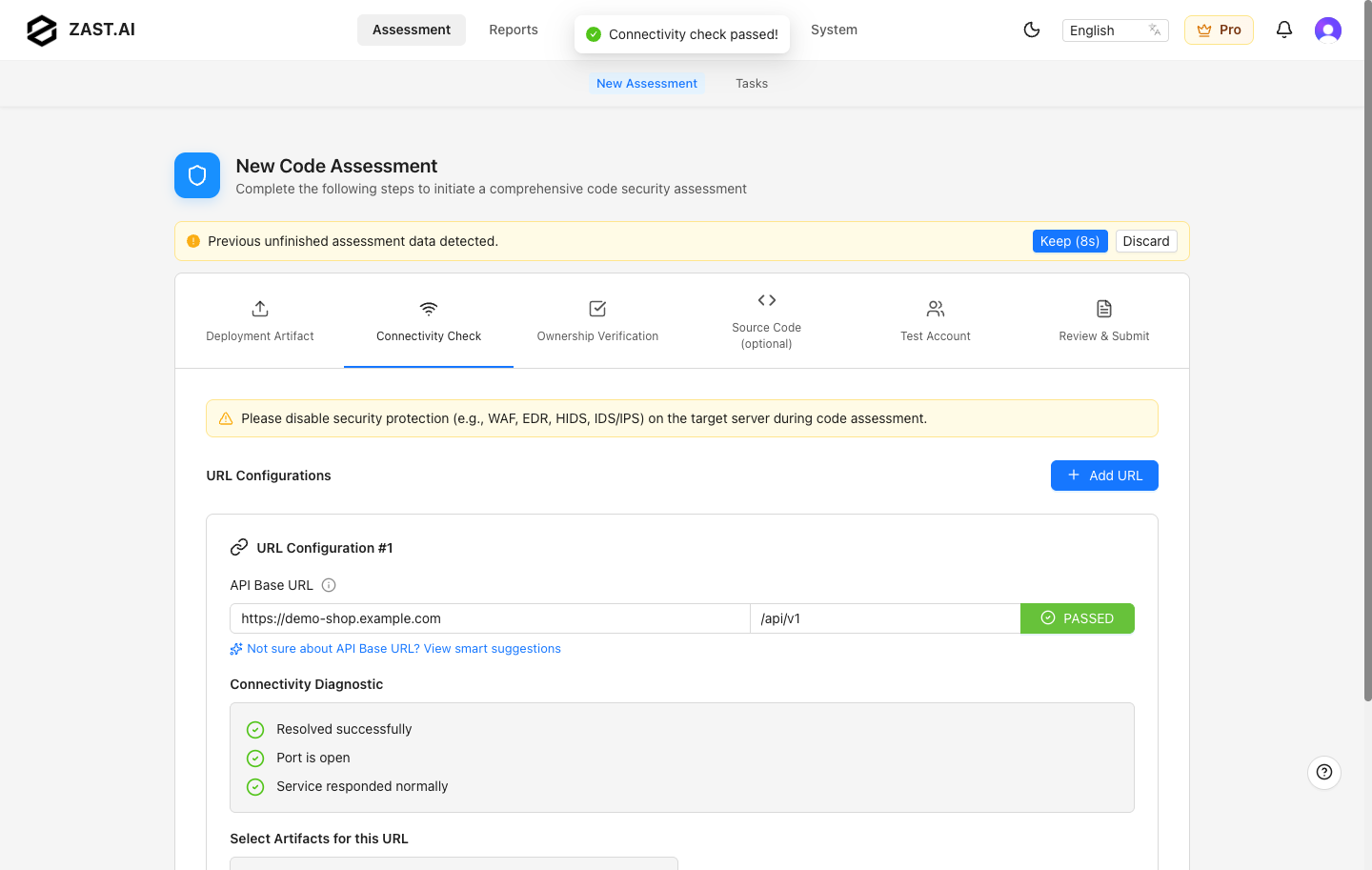
Run the connectivity check before continuing. A successful result confirms DNS, port, and HTTP/HTTPS reachability from the SaaS environment.
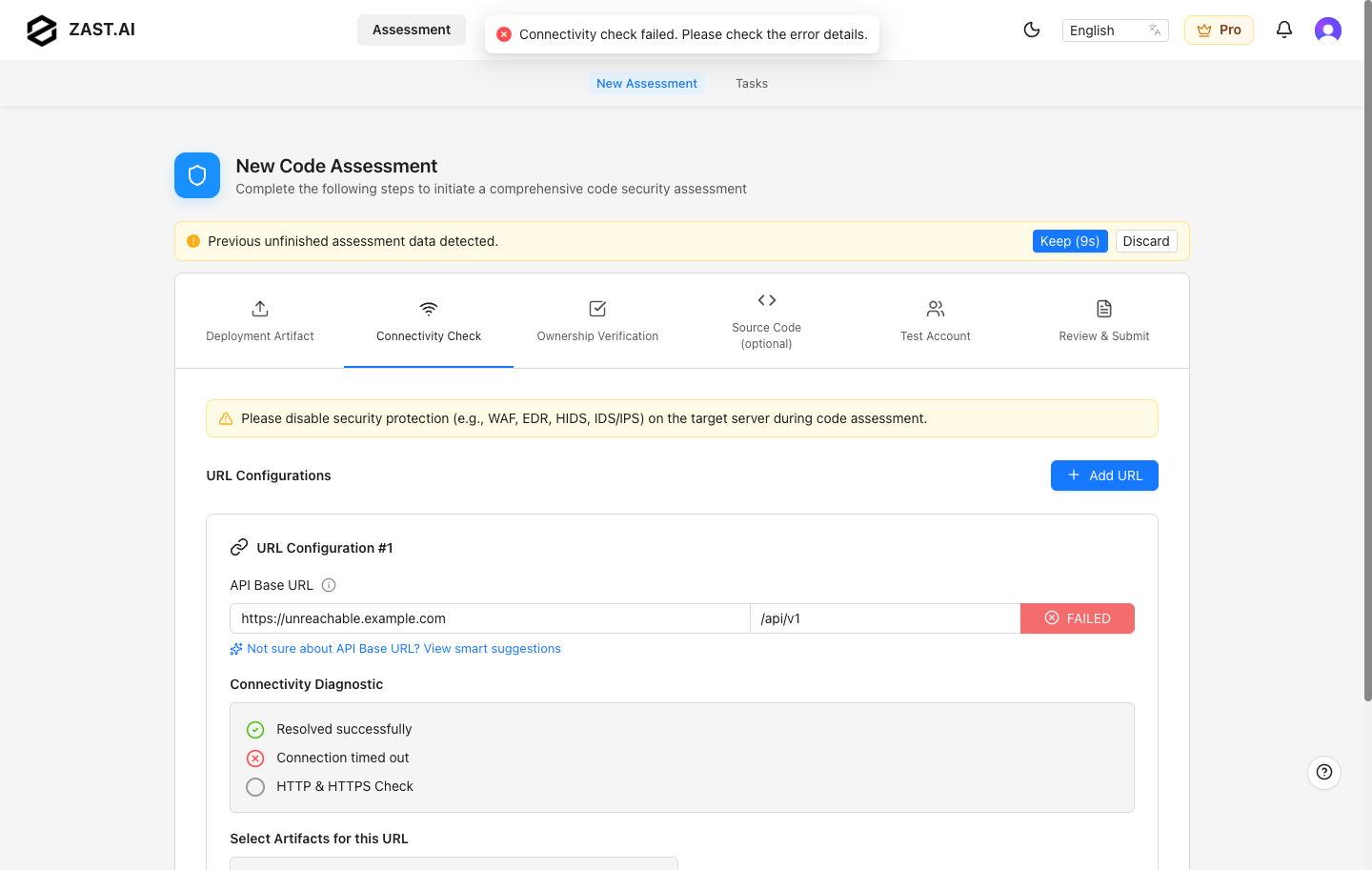
If the check fails, confirm that the service is reachable from the internet, firewall rules allow ZAST.AI traffic, TLS certificates are valid, and the target path responds without requiring unsupported network access.
Ownership Verification
SaaS requires domain ownership verification before assessing a target service. Place the generated verification content at the required /.well-known/ URL and verify it from the UI.
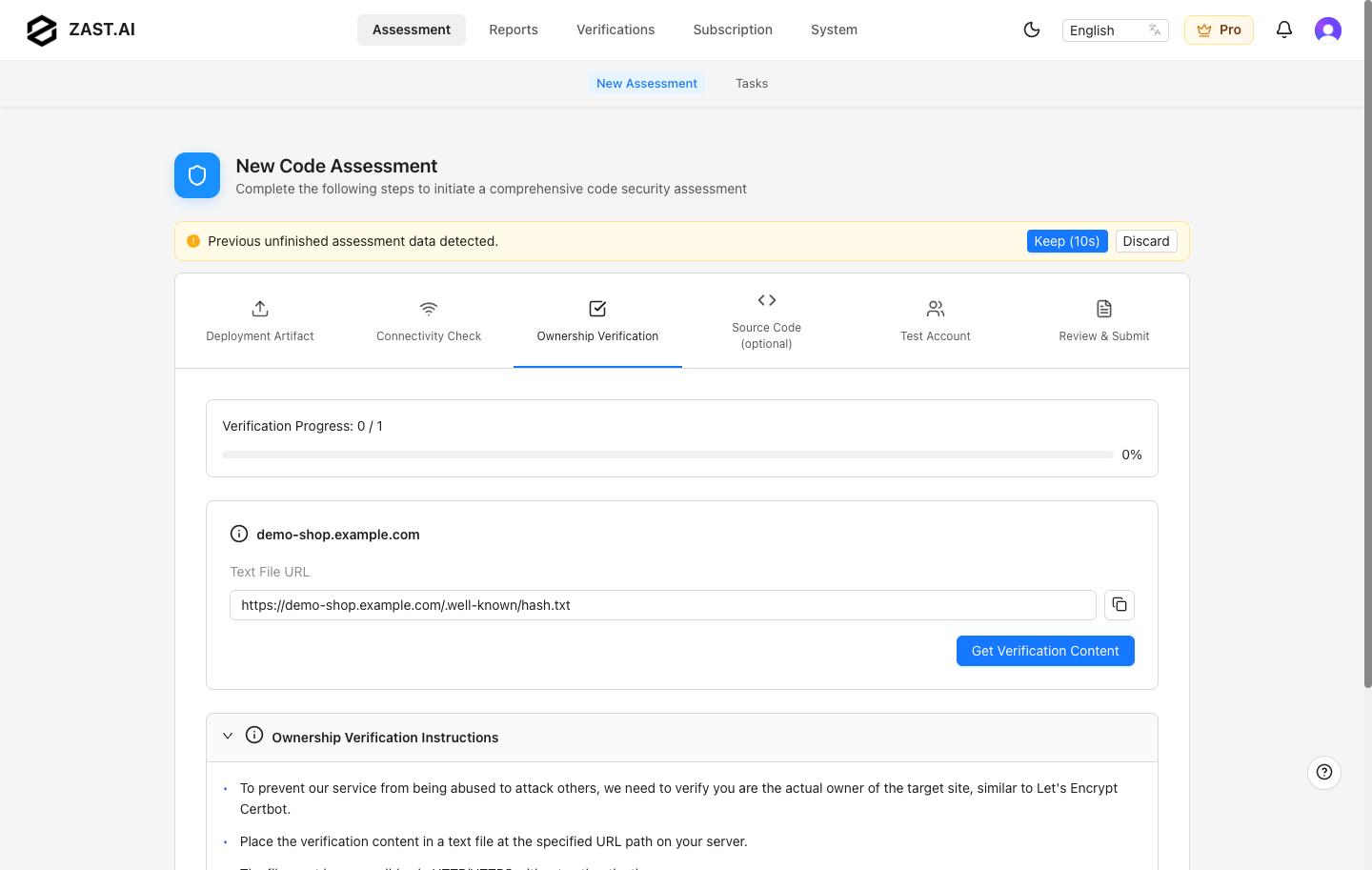
See Ownership Verification for web server and reverse proxy examples.
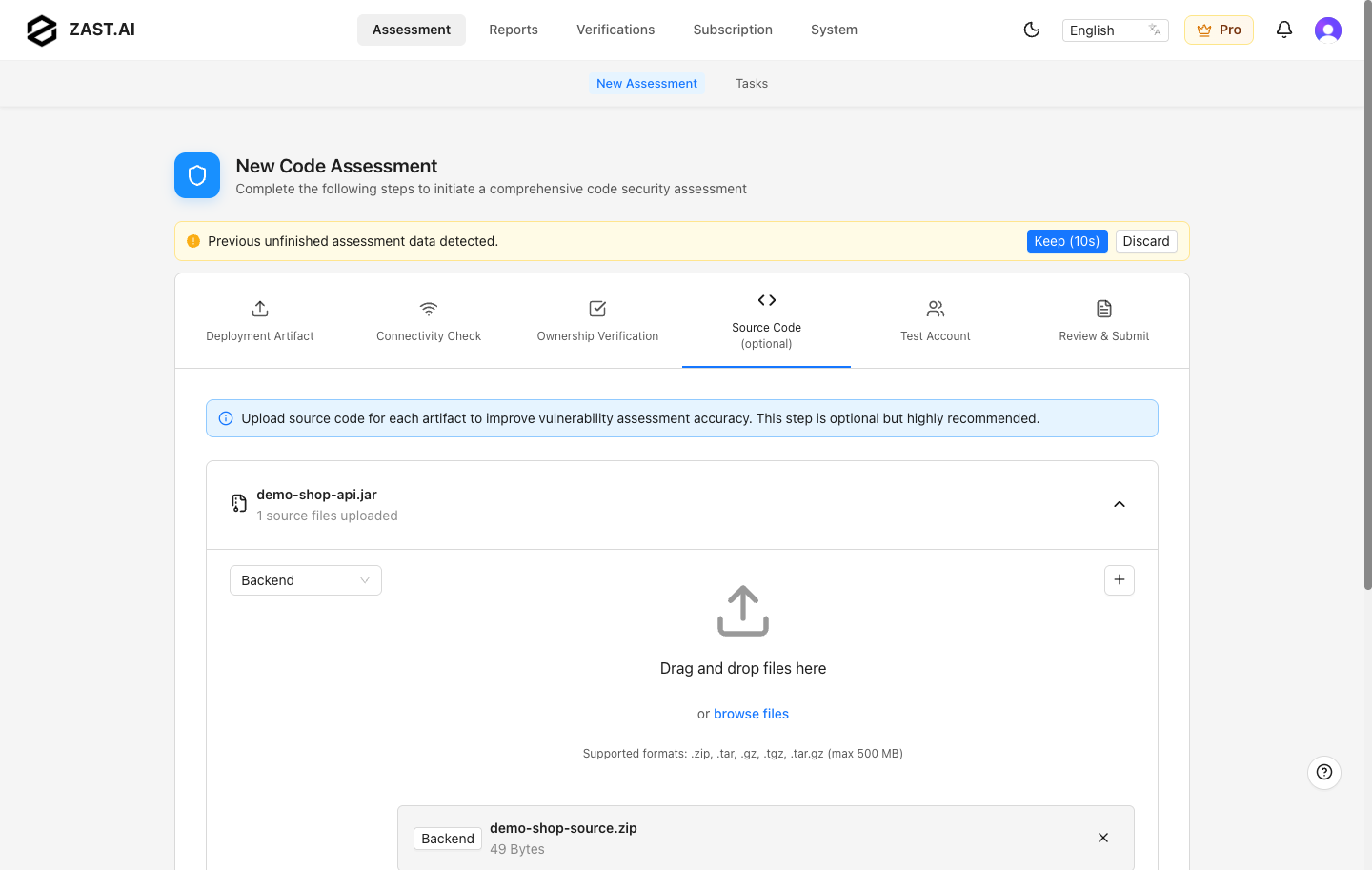
Source Code
Source code upload is optional in SaaS, but it improves code-location accuracy and static analysis context. Upload source archives that match the deployed artifact when possible.
Test Accounts
Use the remote browser to sign in to the target service with dedicated test accounts. Add separate sessions for important roles so ZAST.AI can verify authorization and privilege-boundary issues.
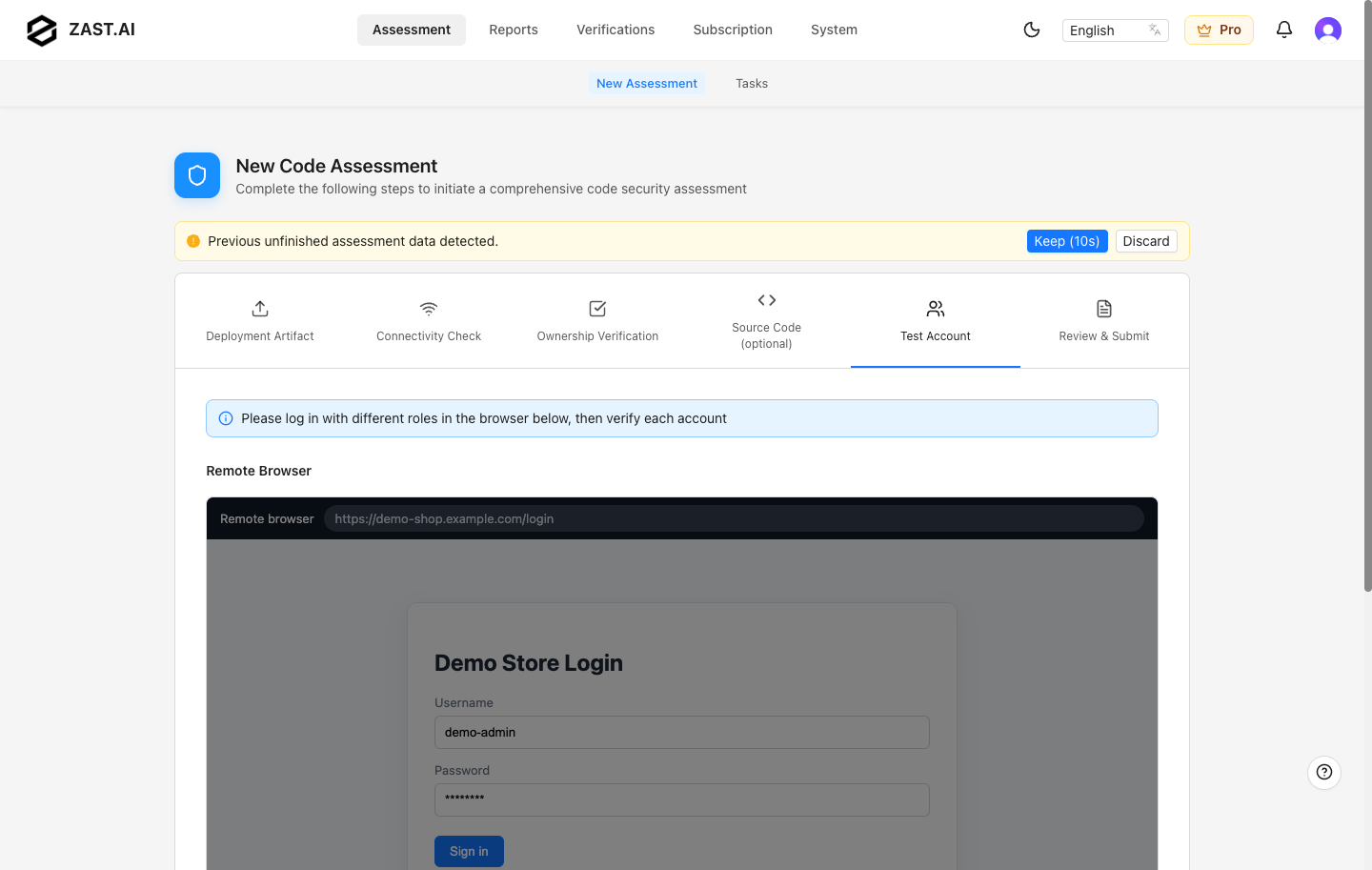
Keep test accounts active during the assessment and avoid accounts tied to real users or production business data.
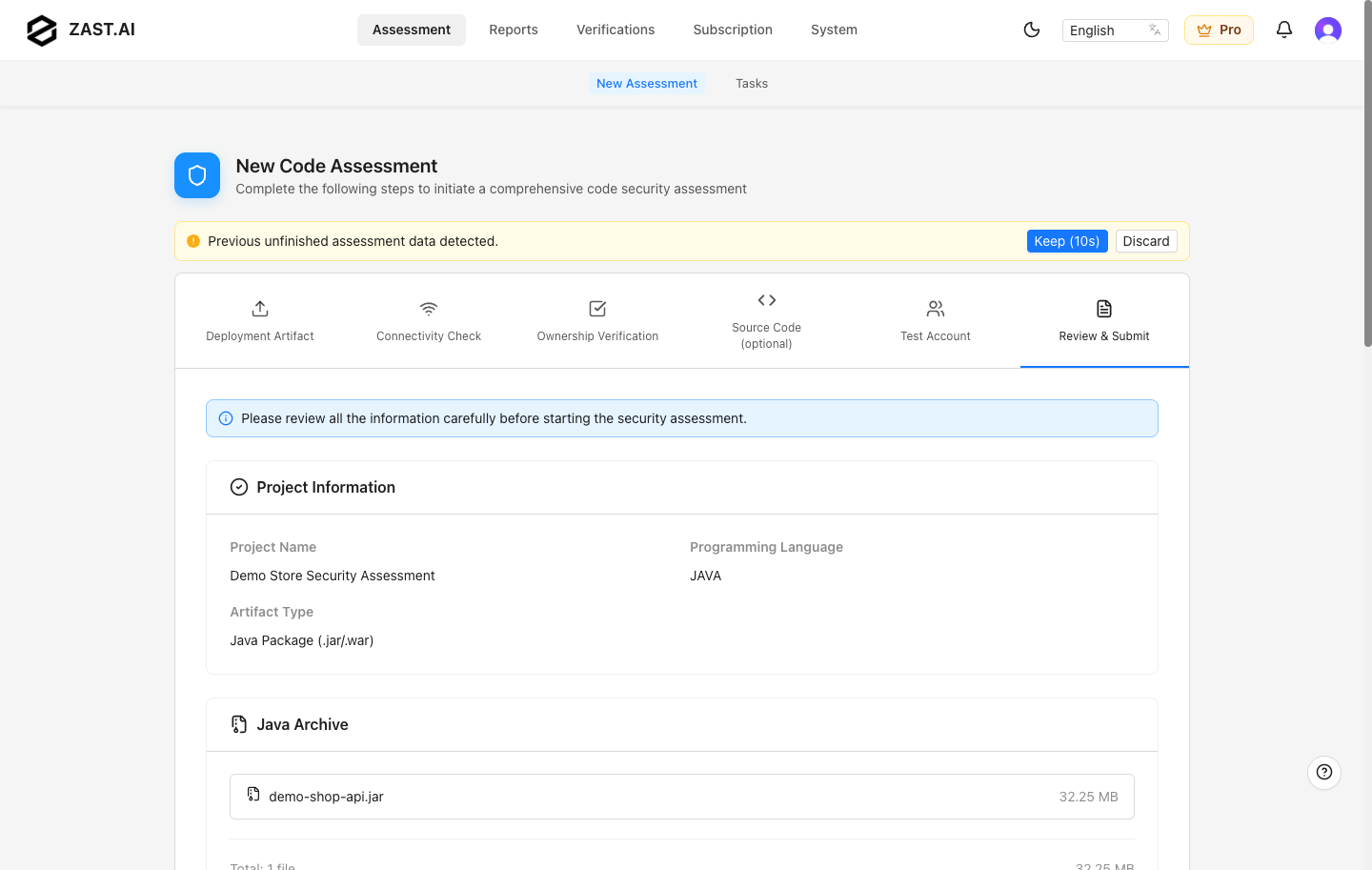
Review & Submit
Review the project summary, deployment files, target services, ownership status, source code, and test accounts. Accept the required terms and submit the assessment.
Manage Assessment Tasks
Use Assessments to monitor submitted tasks. The list shows project name, language, status, creation time, and available actions. Typical statuses include pending, running, success, and failed.
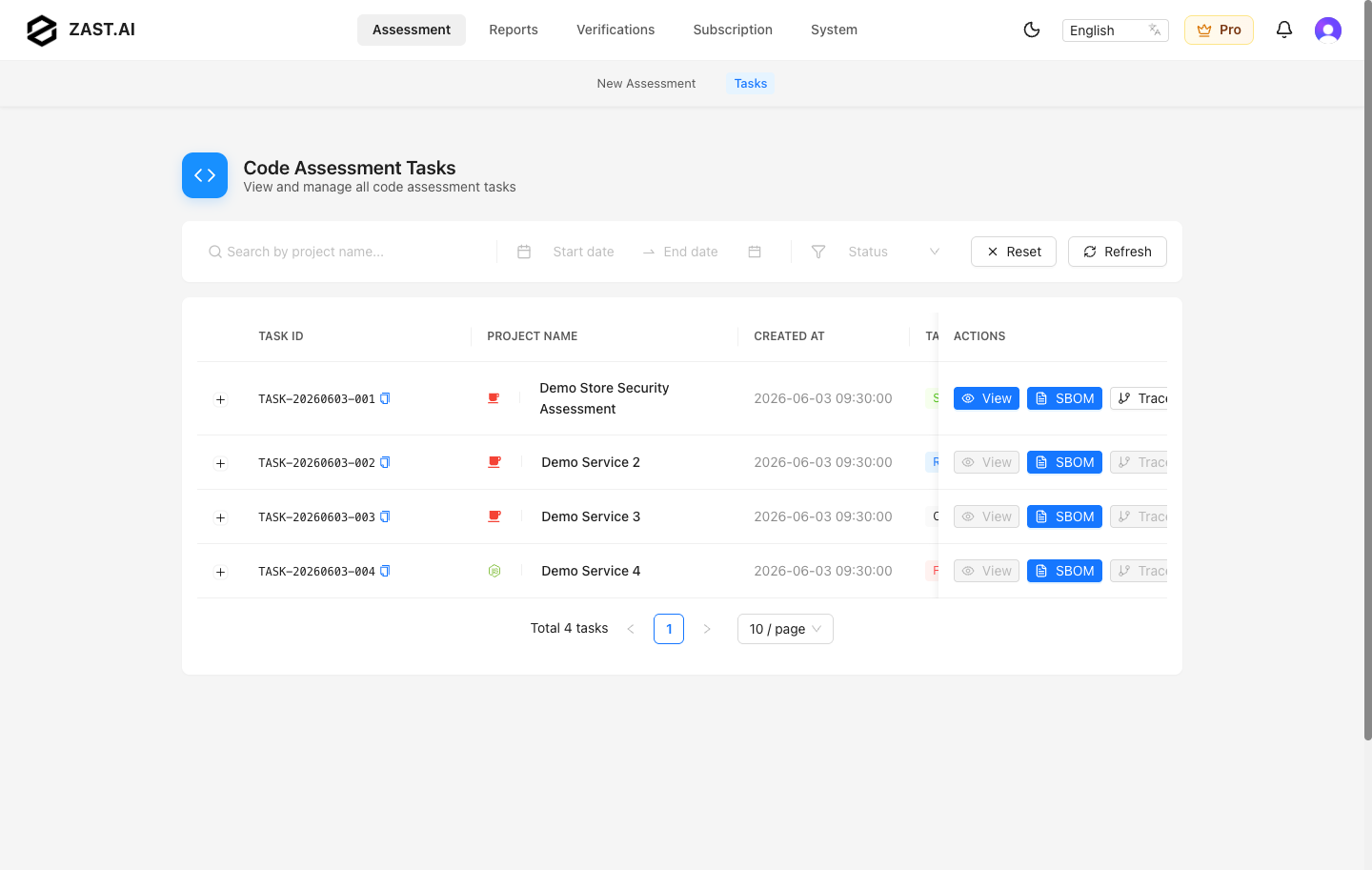
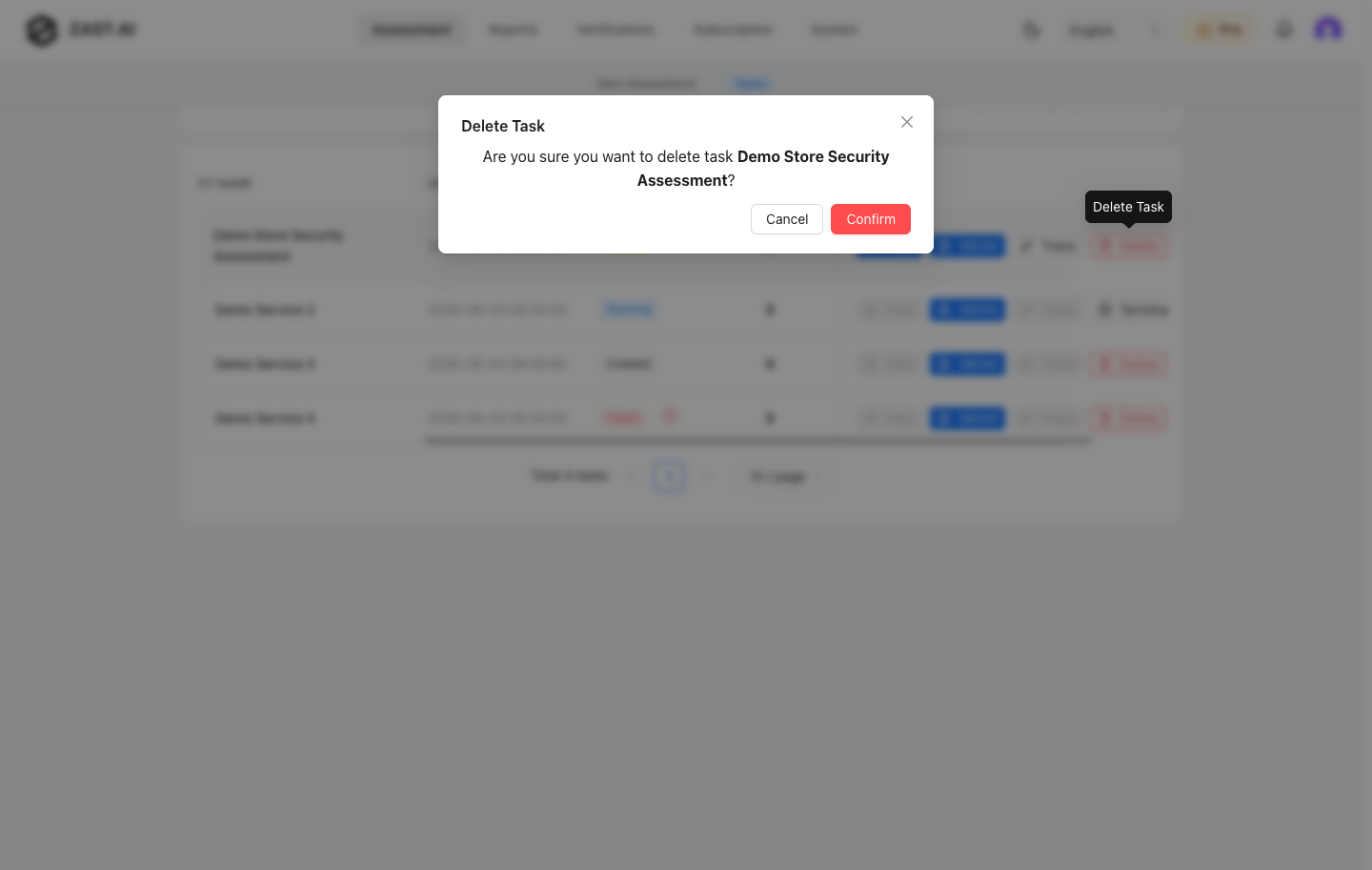
Use search and filters to narrow the task list. Deleting a task requires confirmation and should only be done when the report is no longer needed.
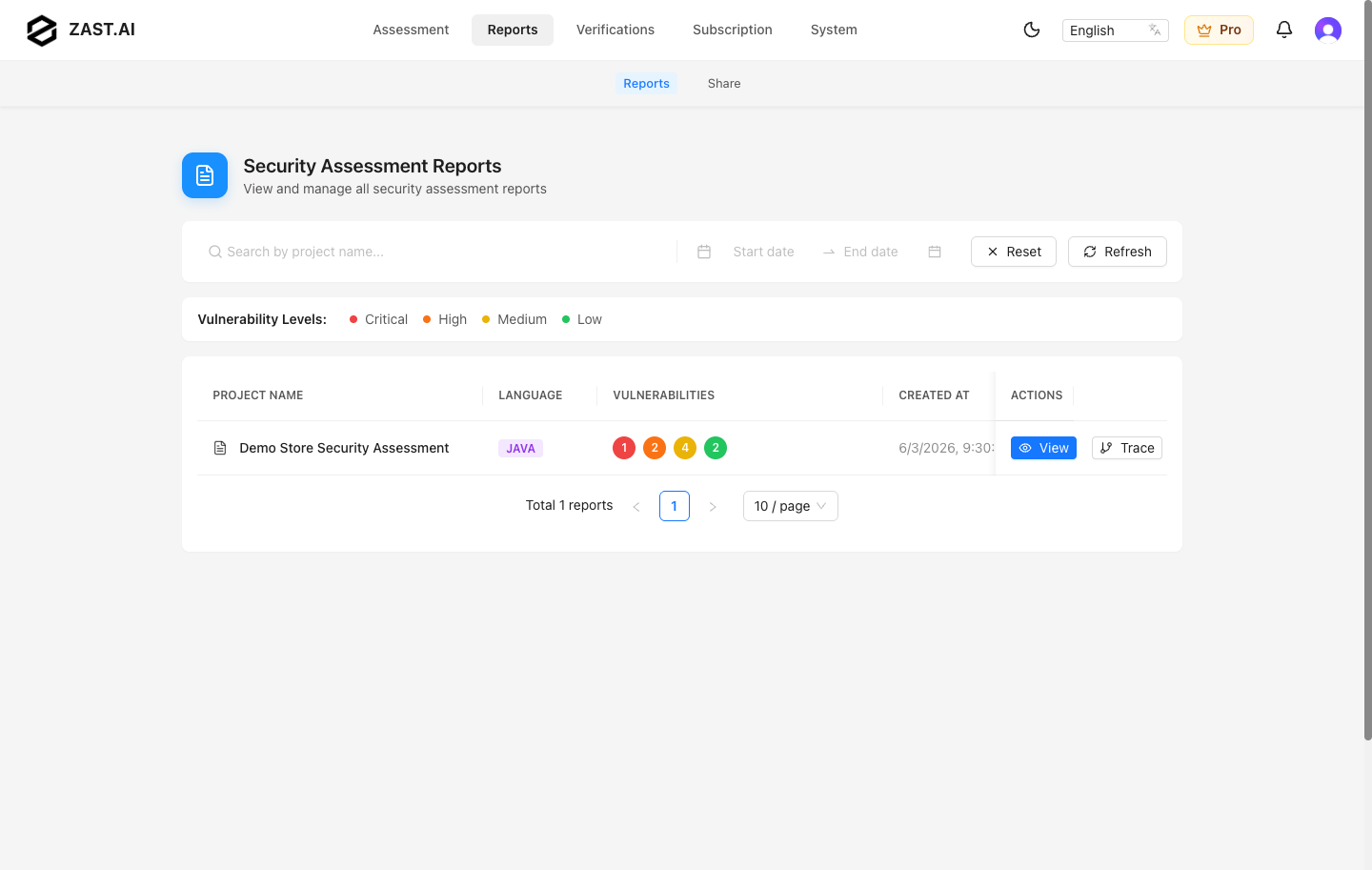
Review Reports
Open Reports to see completed assessments and vulnerability summaries.
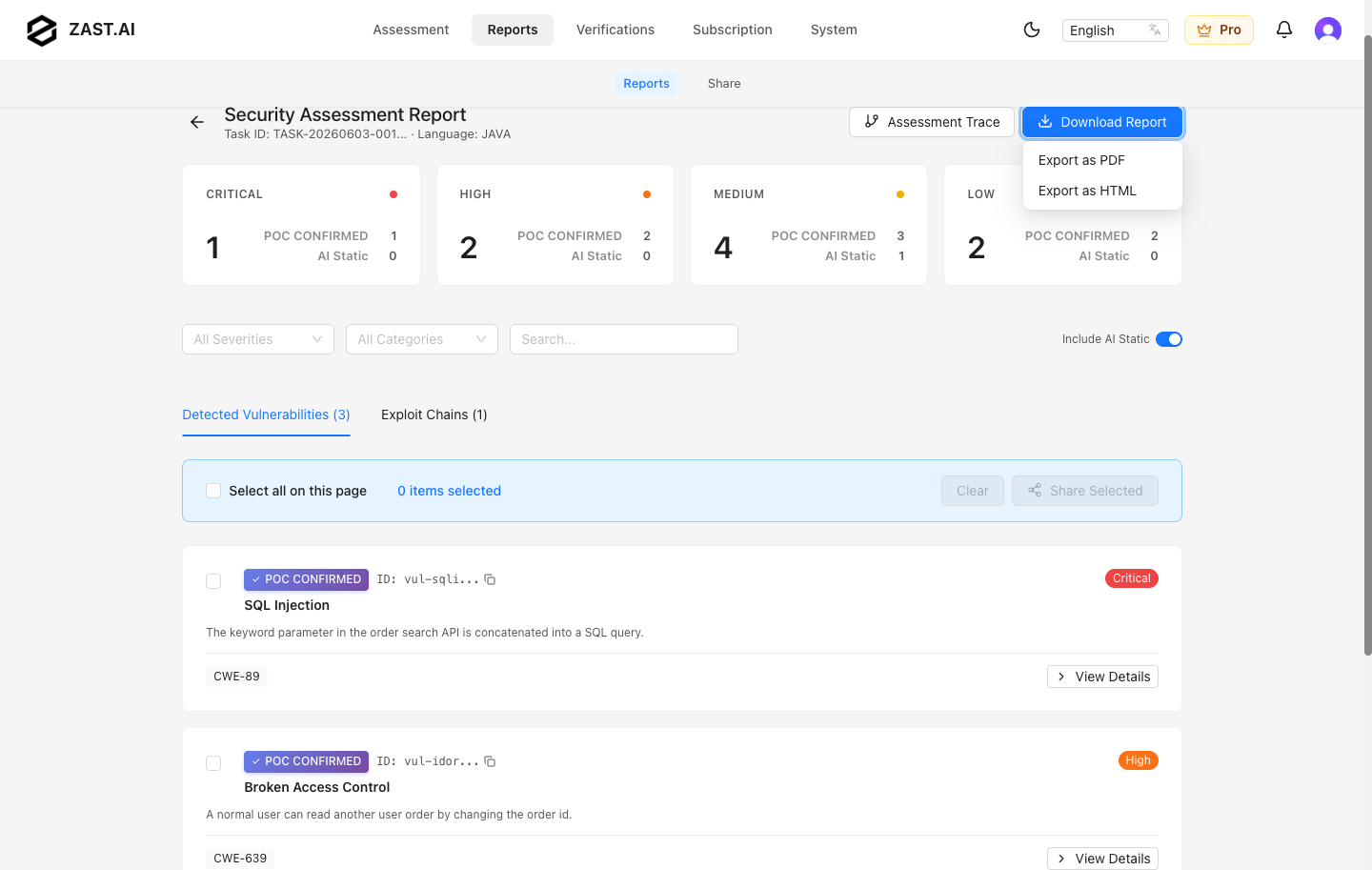
The report detail page shows severity distribution, verified vulnerability categories, exploit chains, and the finding list.
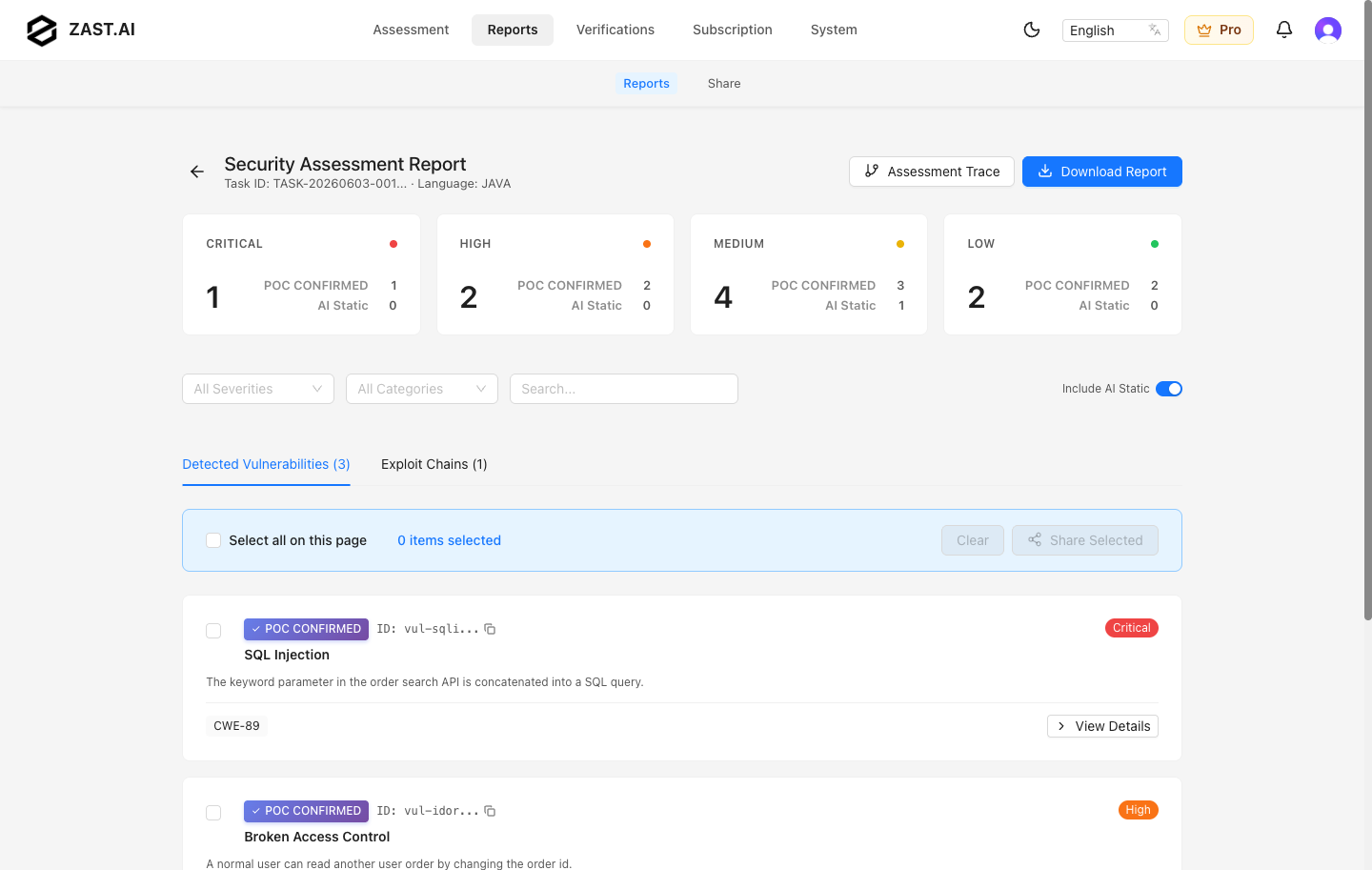
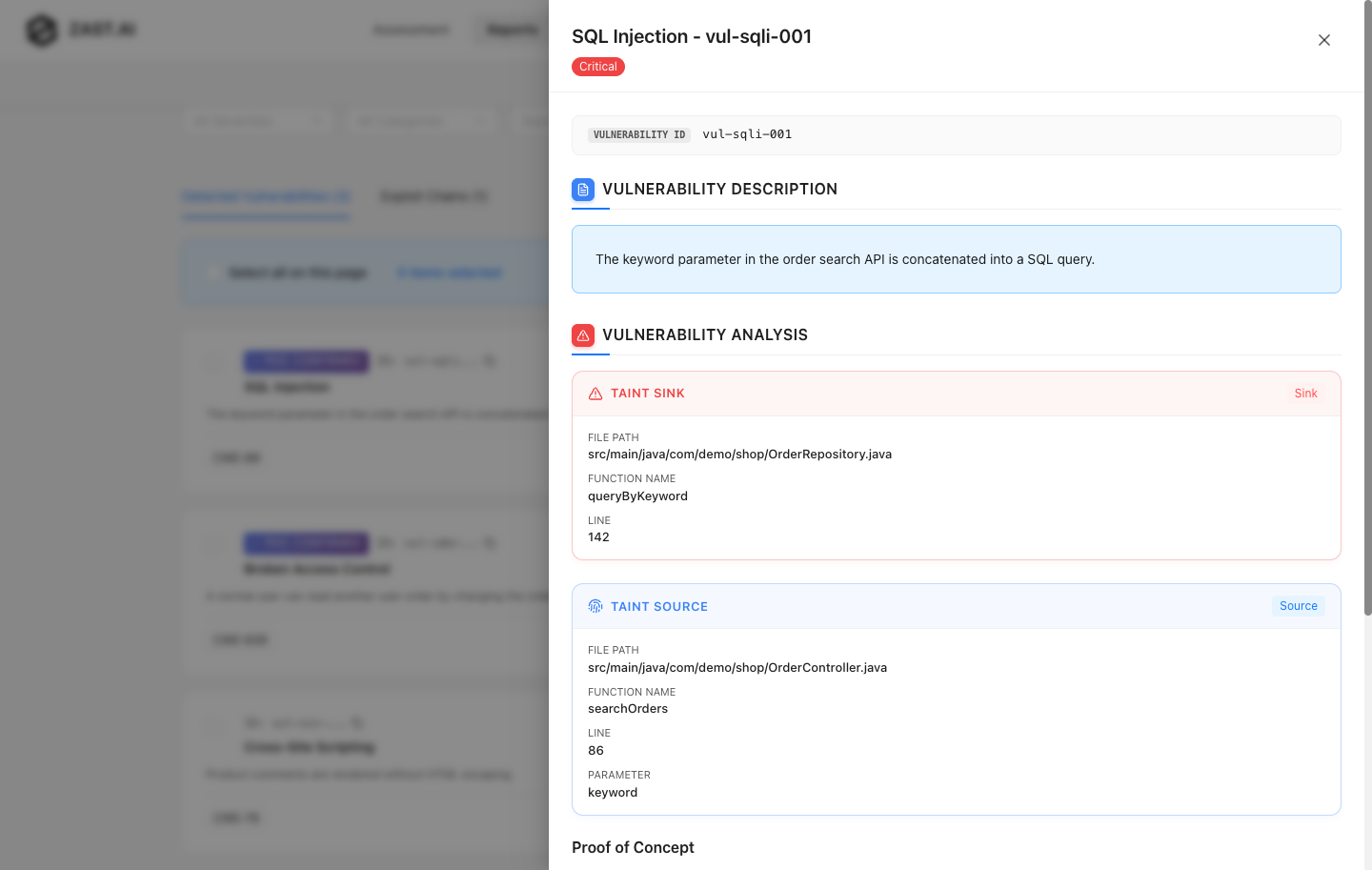
Open a vulnerability detail to review the affected API, source and sink locations, PoC evidence, impact, and remediation guidance.
Reports can be exported as PDF or HTML when the report is available and the current filters include exportable findings.
Subscription, Credits, And Purchases
Use the SaaS billing and pricing entry points that are available in your account to review subscription status, available credits, and supported purchase options. Stripe handles credit card processing. ZAST.AI does not store card details.
If a report action is disabled because credits or subscription status are insufficient, follow the in-app billing prompt or contact your ZAST.AI account team.
API Documentation
For API usage, authentication, and endpoint details, use the API reference instead of copying OpenAPI content into this manual:
Fast Verification
Fast Verification is documented separately because it starts from existing vulnerability candidates rather than a full assessment submission. See Fast Verification.